Patrick Carosone on
Thank you Gwen!
Posted by Gwen Mattila in General on the Big Photo Hunt community board, .
Does anyone have any advice/suggestions regarding watermarks?
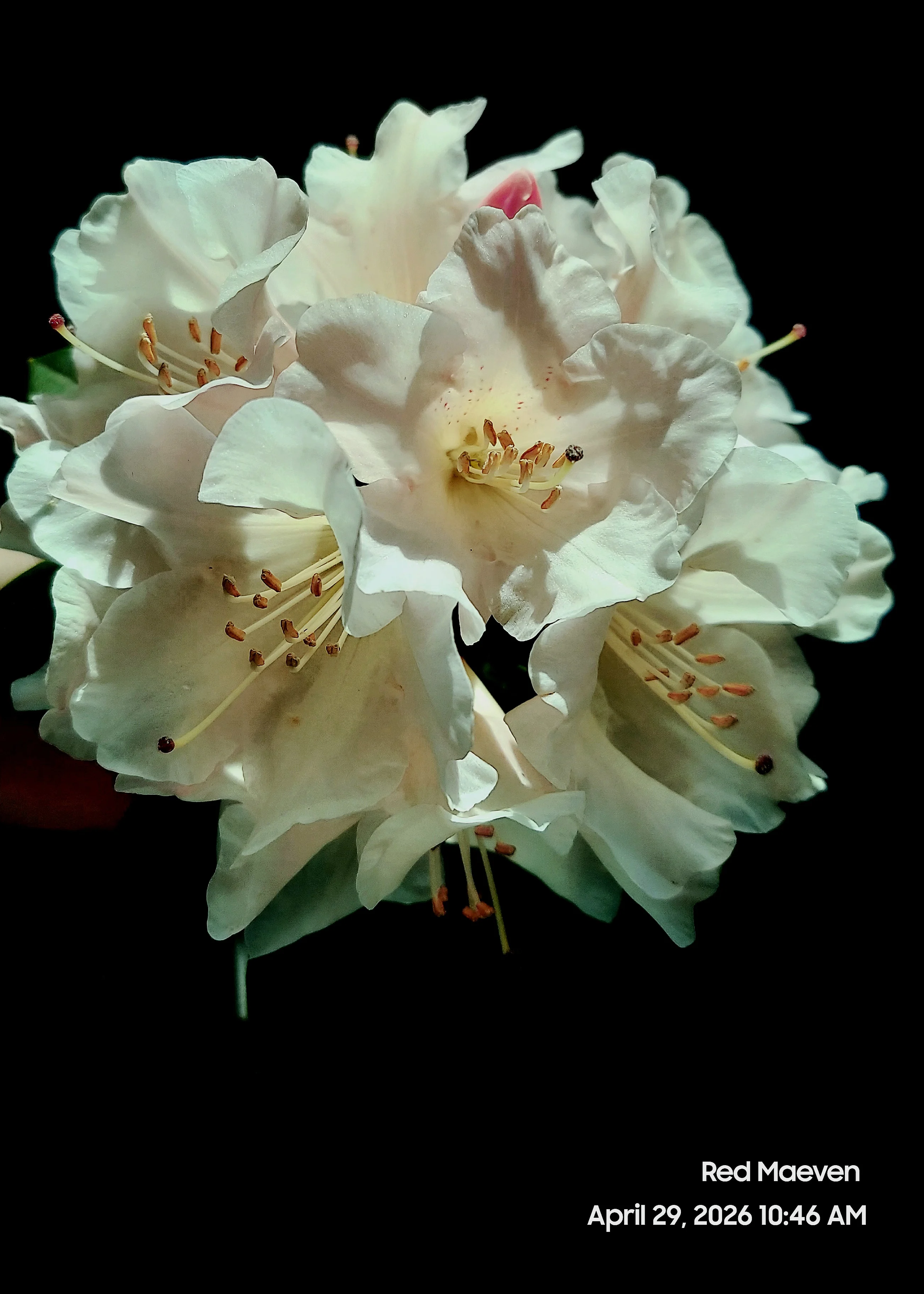
I've been told several times that the only thing that would make my photos better would be to remove the words on them; however, the words are my photographer name (Red Maeven Nature Photos) and the date & time captured.
Here is a recent photo with my watermark as an example:
Patrick Carosone on
Thank you Gwen!
Patrick Carosone on
Watermarks to me is just a way for the photographer to sign his work as an artist signing his painting. It's definitely not a theft detergent, not today. But it does put your name out there for the world to know how great you are!
Jeannine Cartwright on
This is all. Very, very helpful. Thank you
Gwen Mattila on
@Patrick Carosone, Thanks bunches for sharing your take on watermarks. I appreciate the great feedback from you and from everyone on here. It's been extremely helpful and interesting to see how my peers feel about this subject. All my best to you!
Gwen Mattila on
I want to thank you all for all your help and suggestions regarding Watermarks. I am extremely grateful and I hope to implement the advice and resources in my future uploads. I'm ALWAYS open to any feedback and/or constructive criticism, as it helps me improve my take on our shared craft.
Thanks Bunches!
Ken Deckinger on
Hi Gwen - Great question!
So for me, personally, I'm anti-watermark. Two main reasons: (1) I feel that it adds unecessary clutter and distraction to a photo and (2) I don't think it does anything these days to protect a photo copyright wise. Anyone can screenshot a photo and remove it with AI in a minute if they were really intent on doing that.
Just one bald guy's take on things but hopefully it adds a perspective for you.
Mark Thompson on
I replied to your comment before I saw this post Gwen so apologies. I did comment that I had no idea what Red Maeven meant. It doesnt mention 'photography' at all so was meaningless to me and doesn't promote your photography at all. Also I wouldnt put the date the photo was taken on any photos - people dont care.
In addition to all the info from Ralph, be aware that the latest editing software will remove a watermark in seconds so they offer no protection of your photos. Embed your details in the exif file of the photo but even this can be stripped or altered.
On the very few occasions I do use a watermark, it is when I am sharing photos on social media sites where I want people to know I took that photo. I keep it as discrete as I can so it doesnt distract from the photo - hopefully
Ralph Berrett on
Forgive me, I am not a fan of watermarks. Now, to be fair, I used watermarks over 20 years ago. With my clients today, watermarks are impractical and would make me look like an amateur. A copyright watermark is a visible overlay (such as your name, logo, or a © symbol) placed on a photograph to assert ownership. While it helps deter image theft and promotes branding, it holds no direct legal weight; copyright protection is automatically granted the moment the photo is created.
Here is the general info you need for a copyright: "© 2026 your name".
Here is a link on how to copyright a photo. https://www.photoshopessentials.com/photo-effects/copyright/
Use Vector Files: Use vector-based logos so the watermark scales without losing resolution.
Keep it Subtle: Make the watermark semi-transparent and place it in an inconspicuous area so it does not distract from the image.
Offer Options: Create multiple presets (e.g., center for proofs, corner for published work) for different needs.
You can add a watermark using several common tools and applications:
Adobe Lightroom: Use the built-in Watermark Editor (found under the Export menu) to apply either text or a custom graphic.
Photoshop: Create your watermark as a customized brush or overlay it on a separate layer, adjusting the opacity to suit your needs.
Online Tools: Use platforms like Canva or Watermarkly to easily upload and stamp your images.